Thursday, June 5, 2008

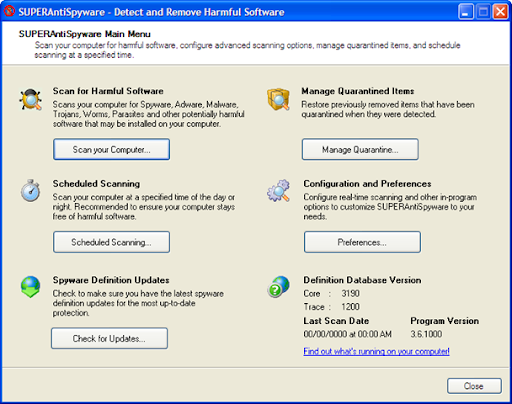
SuperAntiSpyware 4.15.1000

          840__SUPERAntiSpyware1 

SUPERAntiSpyware is the most thorough scanner on the market. Our Multi-Dimensional Scanning and Process Interrogation Technology will detect spyware that other products miss! SUPERAntiSpyware will remove ALL the Spyware, NOT just the easy ones!

  • Quick, Complete and Custom Scanning of Hard Drives, Removable Drives, Memory, Registry, and More!
  • Detect and Remove Spyware, Adware, Malware, Trojans, Dialers, Worms, KeyLoggers, HiJackers and many other types of threats.
  • Trust Items and Exclude Folders for complete customization of scanning. 

Download SuperAntiSpyware 4.15.1000(6.17MB)

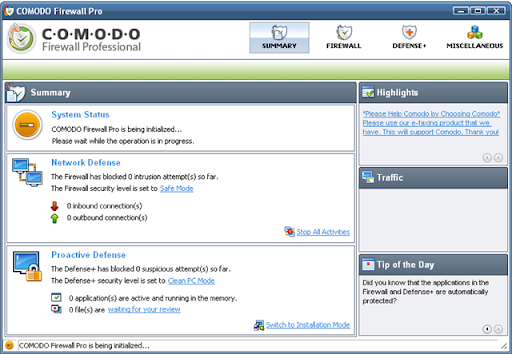
A Latest Release: Comodo Firewall 3.0.25.378

                1132__comodo4

Comodo claim that their firewall is unique in that it passes all known leak tests to ensure the integrity of data entering and exiting your system. Comodo has put firewall through all kinds of sophisticated tests to ensure its firewall powerful enough to ward off these attacks with default settings. No other firewall has had to work this hard.

  • PC Magazine Online's Editor's Choice
  • Secures against internal and external attacks
  • Blocks internet access to malicious Trojan programs
  • Safeguards your Personal data against theft
  • Delivers total end-point security for
  • Personal Computers and Networks 

Download Comodo Firewall 3.0.25.378(18.66MB)

Monday, June 2, 2008

Hewlett Packard launches Compaq dc7800

Yet another addition to the aleady good line of desktop computers offered by HP in the Indian market. This time it is the first ever Desktop PC with a SSD Drive.
The Compaq dc7800 also comes with a stamp of approval from the EPEAT Gold registry for passing all the strict environmental requirements to make it environment-friendly.
The desktop PC is aimed for business users with a good design which fits the CPU on the back of the monitor (see photo).
The cost will be around Rs. 40,000 and it starts selling on the first of next month.

Sunday, June 1, 2008

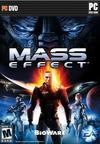
Mass Effect

944902_99714 Streamlined combat and numerous minor improvements make this great game even better.

Genre: Action-Role-Playing

Release Date: May 28, 2008


The Good

  • All the awesome stuff that made Mass Effect on the 360 great
  • Tech/Biotic power hotkeys make combat fast and fluid
  • Numerous small improvements add up nicely.

The Bad

  • Still hampered by graphical hitches
  • Brief, intermittent load screens.

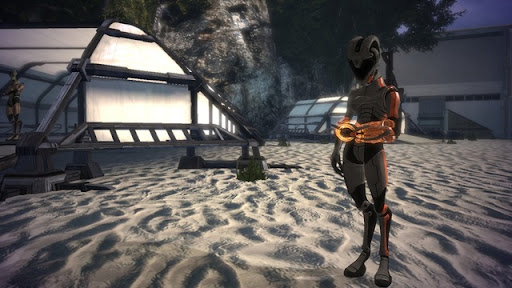
When Mass Effect was originally released last November on the Xbox 360, it unveiled a vast, beautiful galaxy populated by diverse, fascinating alien races. Players stepped onto this stage as Commander Shepard, a hero at the vanguard of humanity's ascension in the arena of galactic politics, and thus began an epic story bolstered by engaging characters and rich, branching dialogue. Exciting combat and robust skill management completed the package, but it was not without flaws. Many small issues have been addressed in the PC release, and the result is a more streamlined, more playable version of one of the best role-playing games in recent memory.
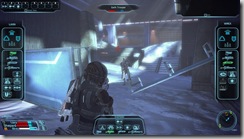
                 944902_20080513_screen008

The bulk of Mass Effect remains the same, so for our thoughts on the story, character customization, dialogue, quest structure, and combat abilities, please read our review of the 360 version. This review will focus on the PC experience and how it differs from console play.
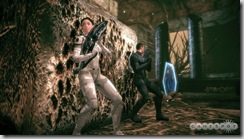
                 944902_20080509_screen009

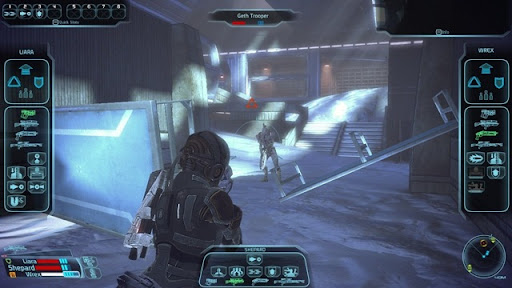
None of the changes are drastic overhauls, but they do have an appreciable effect on the gameplay. One of the biggest tweaks is to the combat system. In the 360 version, you have to temporarily pause the action to use any weapons or biotic/tech powers beyond the one you currently have equipped. On the PC, this pause is still available, but weapons and powers have been consolidated onto one screen, along with squad commands which you can now issue inidividually. Pressing the space bar will bring up a heads-up display where you can change weapons or powers and issue commands to your squad. Odds are you'll use this pause very rarely, because your weapons are mapped to the function keys and your biotic/tech powers can be assigned to the number keys.

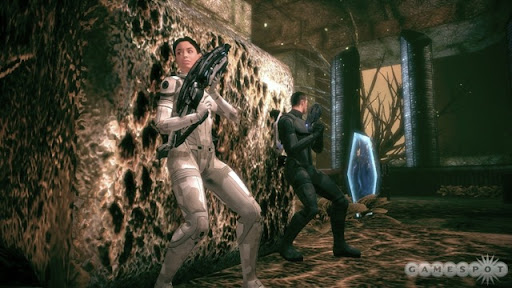
Without frequent pauses, Mass Effect further distances itself from the ponderous, tactical feel of combat in previous BioWare role-playing games. Instead, it feels like a bona fide third-person action title. Gunning down small groups of enemies while barely breaking a stride is still immensely satisfying, as is blasting your way out of larger pitched battles--only now you can unleash multiple tech or biotic attacks on the fly. You can dart out from cover, take down enemies' shields, and explode their weapons--all while shooting them--and be back behind cover in a matter of seconds. The real reward of this faster, more fluid action is the sense of power it imbues. Wielding your formidable abilities with ease really makes you feel like the badass warrior you were meant to be, and it makes combat more exciting and fun.

Unfortunately, all those tech and biotic power animations flying around can cause the frame rate to suffer on less than godly computers. This will really only happen during battles with numerous foes, and though it isn't much more than a brief stumble, it's distracting. Slightly more distracting are the frequent in-game load screens. Masked by long elevator rides on the 360, load times have actually decreased in length but increased in frequency for the PC version. Elevator rides are shorter, but you'll often be ambushed by a two- to four-second pause (the screen dims and a small "loading" icon appears) when you're coming up on a battle or entering a new area. Again, these pauses are brief enough that they don't bring things to a screeching halt, but they are a bit of a nuisance.

A few other tweaks have positive effects on the game. The inventory system is much easier to manage with a mouse and keyboard, and long lists of items won't reset to the top every time you sell something near the bottom. The Mako vehicle sequences are easier to manage thanks to the implementation of dedicated forward and reverse buttons in place of the 360 version's viewpoint-dependent controls. A new hacking and decrypting minigame, in place of the old button-matching one, is both more interesting and more suited to the game: You must move a small arrow through concentric circles to reach the core while avoiding stationary and rotating barriers. It's generally easy to accomplish once you get the hang of it, but the time limit and tricky perspective shifting help keep it entertaining. Keyboard hotkeys allow quick access to the map and squad upgrade screens, and the quicksave button is a great way to ensure you won't have to do too much backtracking. They aren't big changes, but the aggregate benefit is definitely noticeable.

                  944902_20080513_screen004

All the things that made Mass Effect great on the 360--the story, the conversations, the galaxy, the combat, the soundtrack, and the characters--are still great on the PC. The changes that have been implemented don't radically alter the game in any way, but they have enough of a positive impact to make it easy to recommend the PC version over the 360 version. On top of that, BioWare is offering the downloadable expansion "Bring Down the Sky" free to PC players, though at the time of this review that content was not yet available. Whether you're a seasoned Spectre looking to suit up again, or a newcomer who has never set foot on the Normandy, the refined PC version is your best choice for experiencing this excellent game.
Far Cry 2

942192_93455

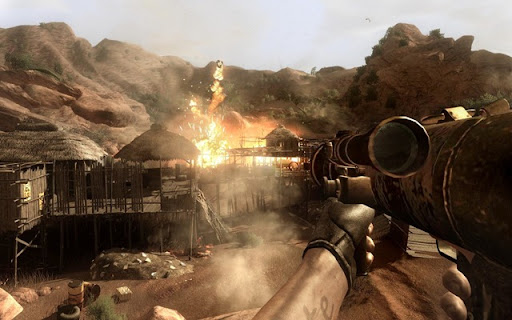
Far Cry® 2, the next-generation first-person shooter from Ubisoft, will take you deep into the most beautiful but also most hostile environments in the world: Africa! More than just a visual and technological achievement, Far Cry® 2, the true sequel to the award-winning PC game, will provide you with an unprecedented gaming experience.

                 942192_20080307_screen001

Caught between two rival factions in war-torn Africa, you are sent to take out "The Jackal", a mysterious character who has rekindled the conflict between the warlords, jeopardizing thousands of lives. In order to fulfil your mission you will have to play the factions against each other, identify and exploit your their weaknesses, and neutralise their superior numbers and firepower with surprise, subversion, cunning and, of course, brute force.

                 942192_20080529_screen001

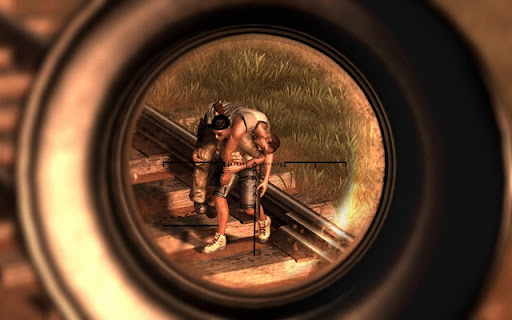
Choose from a wide range of weapons to make your way to your primary target. Meet the fight head-on with your machine-gun, go berserk with your machete or make stealth kills as a Sniper. If you feel that the atmosphere is not warm enough, light up your flamethrower and let your enemies and everything around them feel the heat.

                 942192_20080529_screen010

           COMING SOOOOON!

Get messed with your images !! The Gimp 2.4.6

                504__gimp1

The GIMP is a multiplatform photo manipulation tool. GIMP is an acronym for GNU Image Manipulation Program. The GIMP is suitable for a variety of image manipulation tasks, including photo retouching, image composition, and image construction.

It has many capabilities. It can be used as a simple paint program, an expert quality photo retouching program, an online batch processing system, a mass production image renderer, an image format converter, etc.

GIMP is expandable and extensible. It is designed to be augmented with plug-ins and extensions to do just about anything. The advanced scripting interface allows everything from the simplest task to the most complex image manipulation procedures to be easily scripted.

Note that, if this is the first time you're installing The GIMP, you will also need GTK+ 2 Runtime Environment from here. Note that the Gimp help files are also available from the same place.

This is only a brief list of GIMP features:

  • Full suite of painting tools including brushes, a pencil, an airbrush, cloning, etc.
  • Tile-based memory management so image size is limited only by available disk space
  • Sub-pixel sampling for all paint tools for high-quality anti-aliasing
  • Full Alpha channel support
  • Layers and channels
  • A procedural database for calling internal GIMP functions from external programs, such as Script-Fu
  • Advanced scripting capabilities
  • Multiple undo/redo (limited only by disk space)
  • Transformation tools including rotate, scale, shear and flip
  • File formats supported include GIF, JPEG, PNG, XPM, TIFF, TGA, MPEG, PS, PDF, PCX, BMP and many others
  • Selection tools including rectangle, ellipse, free, fuzzy, bezier and intelligent
  • Plug-ins that allow for the easy addition of new file formats and new effect filters

Download The Gimp 2.4.6 (17.12MB)

Do you know about your own VGA card? GPU-Z 0.2.3!!!!

                    1121__gpuz1

GPU-Z is a lightweight utility designed to give you all information about your video card and GPU.

  • Support NVIDIA and ATI cards
  • Displays adapter, GPU and display information
  • Displays overclock, default clocks and 3D clocks (if available)
  • Validation of results
  • No installation required
  • Support for Windows 2000 / XP / Vista (both 32 and 64 bit versions are supported)
  • .. and yes, the author of CPU-Z has granted us permission to use a name similar to his product. Thanks Franck.

Download GPU-Z 0.2.3 (395KB)